Posted: November 17th, 2009 | Author: davecavins | Filed under: Uncategorized | Tags: Endusersharepoint, jQuery, SharePoint, ticker, webparts | 23 Comments »
On a recent project I needed to create a simple news ticker do display announcements from a SharePoint list. It was easy to do because I just used some of the code from the announcements slider I built a while back so I did not bother to write a post about it. Yesterday I saw a post on EndUserSharePoint.com about how to setup something similar so I figured I would share my (cheaper) solution.
A few features of the ticker:
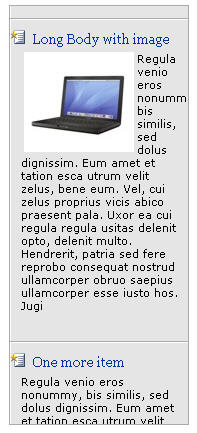
- The ticker pulls its contents from the default SharePoint Announcements list using jQuery.
- The title of the announcement links to the display form for the item
- Ticker pauses on mouseover
- For each Announcement the first 500 characters are shown as an intro.
Here is the code it can just be pasted in a content editor web part. The only dependency is jQuery. The code for the ticker came from this post on Net Tuts Plus. I removed the comments but you can see the commented code and an explanation here.
Read the rest of this entry »
Posted: November 10th, 2009 | Author: davecavins | Filed under: General SharePoint, SharePoint Design | Tags: jQuery, SharePoint, slideshow, web services, webparts | 11 Comments »
This is a very simple image slide show script that uses jQuery, SharePoint webservices and the default images library to show images with captions. All the content is pulled from default fields in the images library but feel free to add more fields and customize the code to fit your needs.

Slide show with captions
Read the rest of this entry »
Posted: November 2nd, 2009 | Author: davecavins | Filed under: General SharePoint, SharePoint Design | Tags: forms, jQuery, SharePoint, textarea | 6 Comments »
So one of the things that I have had end users complain to me about is the size of the text boxes on the new and edit forms of lists like the contacts list and announcement list. On a recent non-SharePoint project I used a jQuery plugin to create a resizable text area so I tried to implement it in SharePoint. Here is what happened.
I downloaded the Textarea Resize JavaScript jQuery plugin, saved in a SharePoint library along with the latest version of jQuery.
Selecting the Element
In order for the jQuery code to work it has to know which elements on the page you want to work with.
Here is the code SharePoint renders for a text box:
<textarea name="ctl00$m$g_3fa2cde8_0ea8_4421_814f_6a6d292fbe54$ctl00
$ctl04$ctl0ctl00$TextField"
rows="15"
cols="20" id="ctl00_m_g_3fa2cde8_0ea8_4421_ctl00_TextField" title="Body"
class="ms-long" dir="none"></textarea>
There are two problems:
- ASP.NET creates very long and hard to use IDs
- The class ms-long culd apply to other elements on the page that I dont want to use the effect on.
Read the rest of this entry »
Posted: October 28th, 2009 | Author: davecavins | Filed under: General SharePoint, SharePoint Design | Tags: jQuery, search, SharePoint, suggestions | No Comments »
In Part 1 of this post we used a simple javascript to display suggestions on a custom search box. After I wrote that post I was thinking it would make more sense to read the suggestions from a list instead of a JavaScript file. This post will explain how to setup the list and edit the JavaScript to read the suggestions from a list. The idea is that an administrator could manage the list and help guide users toward specific information instead of getting numerous un-related results like in those commercials for bing.
Assuming you already have the search box setup as described in Part one of this post all you will need to do is change the javascript and add some code to the page. Read the rest of this entry »
Posted: July 17th, 2009 | Author: davecavins | Filed under: SharePoint Design | Tags: jQuery, SharePoint, web services | 21 Comments »
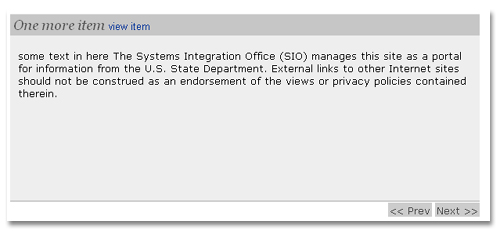
This is a simple news slider I put together using SharePoint web services, jQuery and the Easy Slider Plugin from CSS Globe. You can get the plugin here. The Web Part points to the local site’s Annoucements list and display the title, body and a link to view the item. The jQuery connection to the SharePoint web service is based on code from Jan Tielens.

Read the rest of this entry »
Posted: July 14th, 2009 | Author: davecavins | Filed under: General SharePoint, SharePoint Design | Tags: Data View Web Part, Endusersharepoint, Gabe Hilado, jQuery | 1 Comment »
A while back there was a post on EndUserSharePoint.com by Paul Grenier that described how to use jQuery and the CEWP to make a preview pane. I thought it was a very nice solution and worked better than the out of the box preview pane SharePoint uses.
Too Much Code
The only issue is the preview pane solution is that in environments with slow internet connections the preview pane will be almost as slow as if the user actually broswed to the display form for the item.
Although its done through AJAX jQuery is still having to load the whole DispForm.aspx and then only displaying the contents of a specific element. DispForm.aspx when rendered through the borwser (like most pages in SharePoint) is very code heavy with over 700 lines of code ( An Announcement List item). Reducing the amount of code jQuery has to load from the diplay form will decrease load times and make everyone happy.
Faster
Gabe Hilado and I decided to try to make it faster. The simple solution is to make your own diplay form in SharePoint Designer. First we tried creating a blank .aspx page and putting the list view webpart on it. The reduced the amount of code on the page but I wanted it to be even faster.
Read the rest of this entry »