Posted: August 4th, 2010 | Author: davecavins | Filed under: General SharePoint, SharePoint Design | Tags: CSS, Data View Web Part, SharePoint, SharePoint Designer, ticker, xsl | 5 Comments »
A while back I did a post about how to make a vertical news ticker, in the comments several people pointed out problems with the code so I decided to write a better version of the code. Here it is.

New Ticker
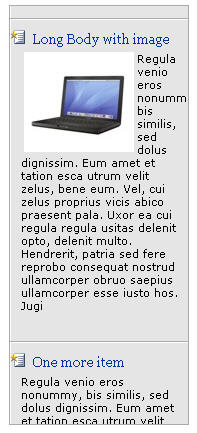
For this ticker I started out with a default Annoucements list. Because I wanted to display a thumbnail for each annoucement I added a signle line of text column called Subtitle and a Picture column called Picture. Here are the columns I used.

Read the rest of this entry »
Posted: November 17th, 2009 | Author: davecavins | Filed under: Uncategorized | Tags: Endusersharepoint, jQuery, SharePoint, ticker, webparts | 23 Comments »
On a recent project I needed to create a simple news ticker do display announcements from a SharePoint list. It was easy to do because I just used some of the code from the announcements slider I built a while back so I did not bother to write a post about it. Yesterday I saw a post on EndUserSharePoint.com about how to setup something similar so I figured I would share my (cheaper) solution.
A few features of the ticker:
- The ticker pulls its contents from the default SharePoint Announcements list using jQuery.
- The title of the announcement links to the display form for the item
- Ticker pauses on mouseover
- For each Announcement the first 500 characters are shown as an intro.
Here is the code it can just be pasted in a content editor web part. The only dependency is jQuery. The code for the ticker came from this post on Net Tuts Plus. I removed the comments but you can see the commented code and an explanation here.
Read the rest of this entry »