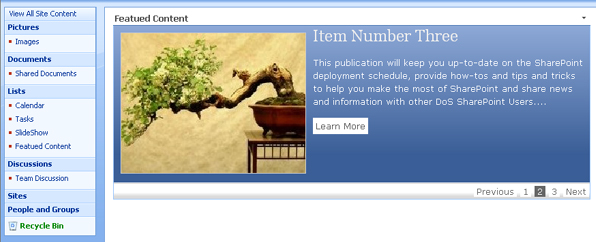
Dynamic Drive’s Featured Content Slider in Sharepoint
Posted: May 12th, 2009 | Author: davecavins | Filed under: SharePoint Design, Web Design | Tags: content slider, dynamic drive, JavaScript, SharePoint, SharePoint Designer, xsl | 8 Comments »I have used Dynamic Drive’s Featured Content Slider on a couple of recent projects and wanted to see if I could get it working in SharePoint. There were several key requirements:
- User can easily add items
- Users can choose a style for each item
- Expired Items must not show
- Each item will have a Title, Body and a customizable “read more” link.
Here’s how I did it.
First I created a custom list to store the slider items. These are the columns I used:
Title – Single Line of text
Body – Multiple Lines of text
Link URL – HyperLink
Expiration – Date and Time (expired items will not be shown)
Image – Picture
Style – Choice (we will use this column to allow users to choose the style of each item)
On the page I used a DataView WebPart to display the Title, Body, Image and Link URL columns. Using Sharepoint Designer I setup filtering on the expiration date. To do this in design view right click on the data view webpart and bring up the “Common Data View Tasks ” box and choose Filter. In the window I set the conditional statement so that items would only be shown if the expiration date was greater than today. Read the rest of this entry »


Recent Comments